How I Work: Everything Is Text
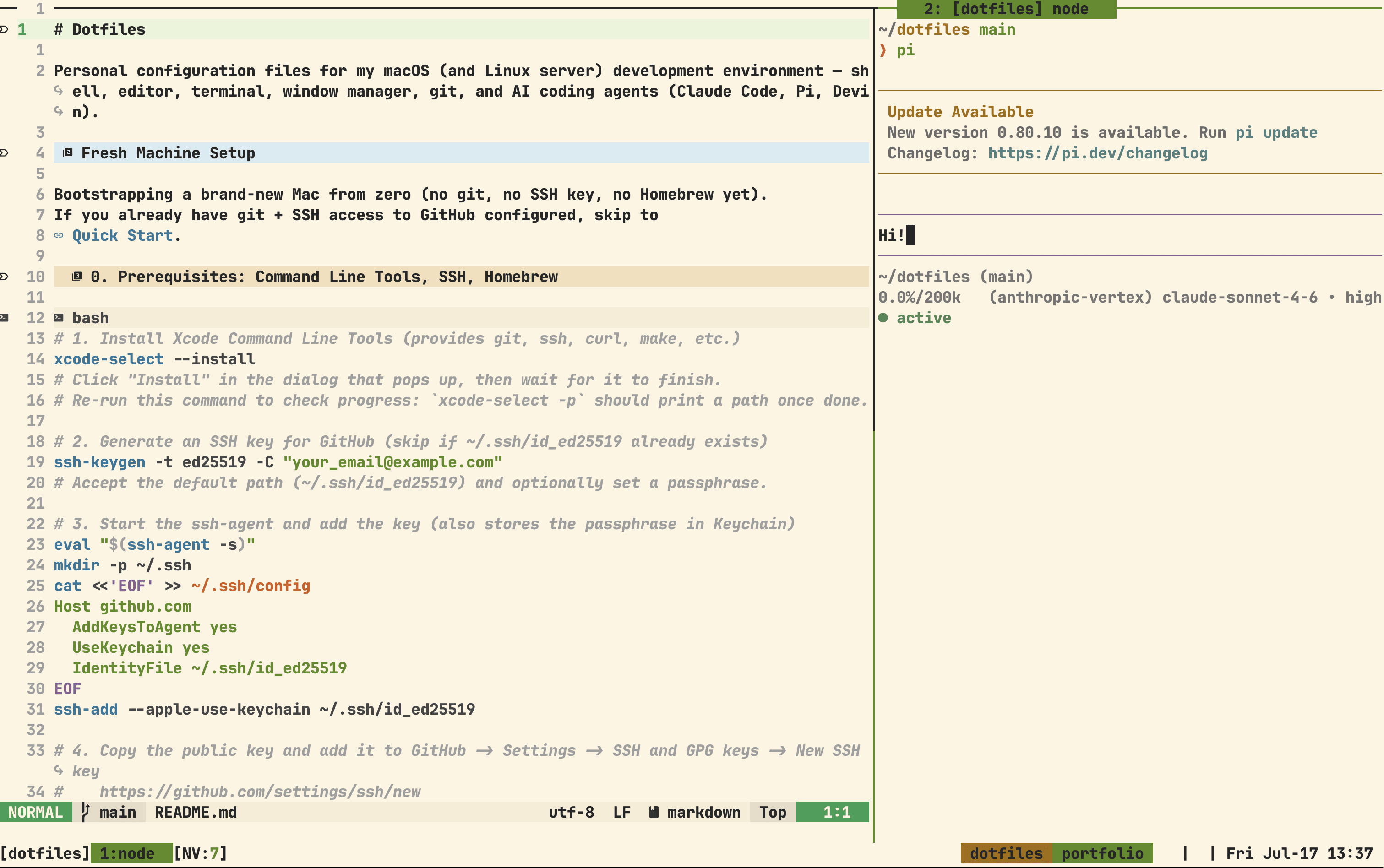
A walkthrough of my terminal-first, keyboard-driven setup I use every day.
Principles
- Everything is text.
- Everything is version controlled.
- Everything needs to work natively with AI agents.
Dotfiles repo
Everything lives in my ~/dotfiles repo.
- One bootstraps a fresh machine.
- builds a clean Ubuntu container, runs from scratch, and verifies the result. A broken symlink or missing dependency fails in Docker instead of on a real machine.
- Every config file is symlinked from the repo.
- When a setting changes, it changes in one file and one commit.
Package management
I follow the same approach for dependencies:
- Homebrew dependencies live in a that lists every CLI tool and macOS app.
- mise manages runtime versions for tools such as Node and Python, pinned in .
What I get from it
- I can configure a new machine with two commands.
- I can experiment with my environment without losing track of what changed.
- I have to understand how my tools work, and that knowledge compounds.
My workflow
Window and session management
I use AeroSpace for window layout and tmux for project sessions. Both are configured in plain text: and .
AeroSpace is an i3-like tiling window manager that lets me move between windows with the keyboard. tmux handles the project layer, and fzf lets me switch between sessions and repositories.
Neovim
Neovim is my text editor. Its configuration lives in Lua files under ~/dotfiles/nvim/.
Plugins
A few plugins do most of the work:
Diffview provides a full-screen Git diff with a side-by-side layout and file panel. I use DiffviewFileHistory most often because it is the quickest way to trace how one file changed and understand why it looks the way it does.
Telescope with the frecency extension (<leader>ff) ranks files by how often and how recently I open them.
Persisted restores open files, splits, and layout for each Git branch.
Bufferin (<leader>b) opens a list of every buffer, including its icon and modified state.
Agent memory and skills
The agent matters less to me than the infrastructure beneath it. Models improve and get replaced, so I want a system that any agent can use without forcing me to rebuild my workflow.
I switch between three agents:
All three use the same ~/dotfiles/agent/ directory.
~/dotfiles/agent/
  commands/   ← slash commands shared across agents
  hooks/      ← lifecycle hooks
skills/ ← reusable task instructionstmux
tmux does more than manage sessions. My session picker (Prefix + s) replaces the default choose-tree with an fzf popup.
It also helps with remote SSH work. Sessions persist on the server, so after a connection drops I can reconnect, reattach, and return to the same terminal state.
The statusline shows whether an agent is idle, running, or waiting for input. A notification fires when the agent finishes.
Scripts
~/dotfiles/scripts/ holds small utilities for theme switching, starting development environments, and syncing notes. Because they are shell scripts, agents can read and run them. When one breaks, I can inspect the same source the agent sees.