pi-cc: Safer Copy-Paste for Shell Commands
A Pi extension that detects code blocks and lets you copy the exact one you want without fighting the terminal.
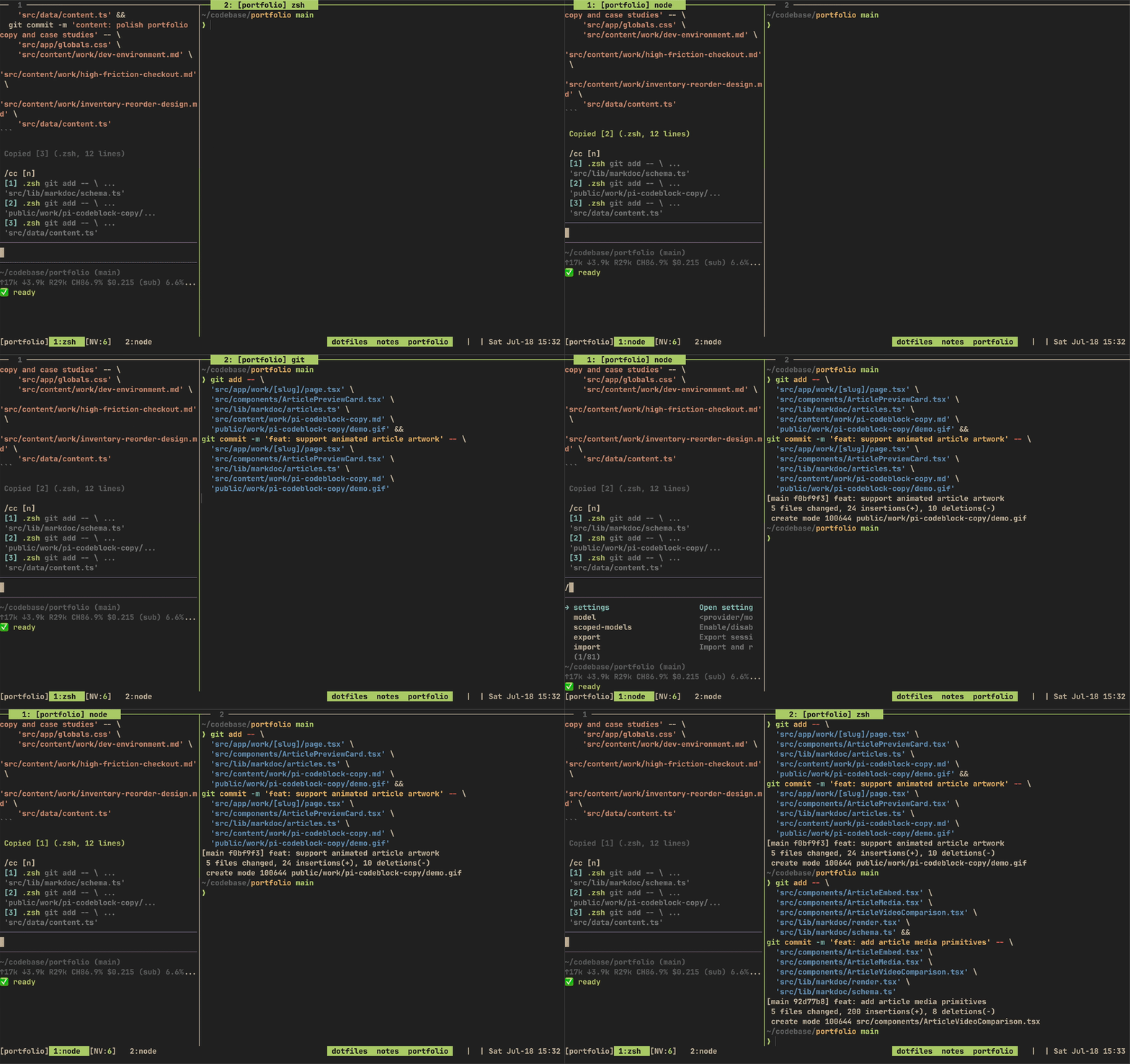
tmux copy mode can turn a wrapped code block into broken lines mixed with terminal text. pi-cc copies the original block exactly as written.
Before: tmux copy modePlaying
After: pi-cc
Source code
https://github.com/chrischo360/pi-cc
What is Pi?
Pi is a minimal agent harness that can be adapted to different workflows.
What problem does pi-cc solve?
Copying Bash scripts, kubectl commands, or Docker commands from the terminal often gave me broken line wraps, stray prompt characters, or surrounding prose. I wanted the original code block, not the terminal's visual rendering of it.
How it works
pi-cc parses the latest assistant message, extracts its fenced code blocks, and opens a compact numbered picker.
/cc: Copy a block. It opens the picker when the response contains multiple blocks and copies directly when there is only one./cc 2: Copy block 2 without opening the picker./vc 2: Open block 2 in Pi's editor before copying it.- The widget updates after each assistant response and clears when there are no blocks to copy.